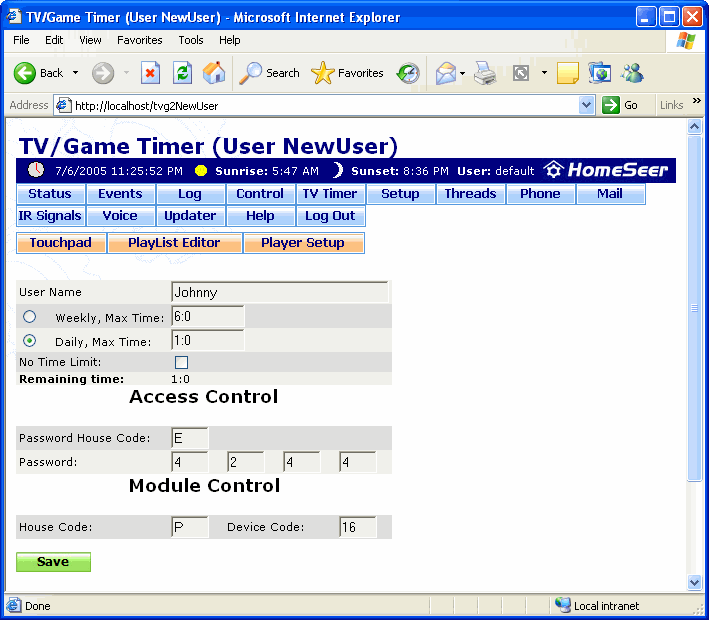
The TV/Game Timer User screen is where you create and edit users who use of a particular device you want to restrict. For more information on using this feature, go to the How to Use the TV/Game Timer page.
To get to this screen, launch the web interface, click the TV Timer button under the time and date bar, then click Add New User or Edit [User].
Click on the graphic below for more information on this screen.