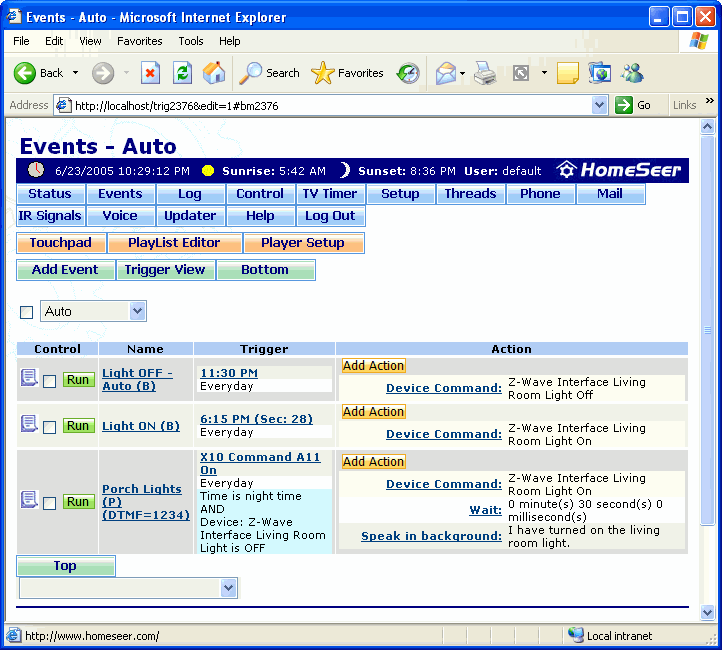
The Events screen is where events are created and modified. Go to the About Events page for more information about events, triggers, conditions, actions, and event groups.
To get to this screen, launch the web interface, then click the Events button beneath the time and date bar (if the option to display it was selected in the Web Site Setup screen). You can also get to this screen by clicking View > Events in the main HomeSeer UI screen.
Click on the graphic below for more information on this screen.