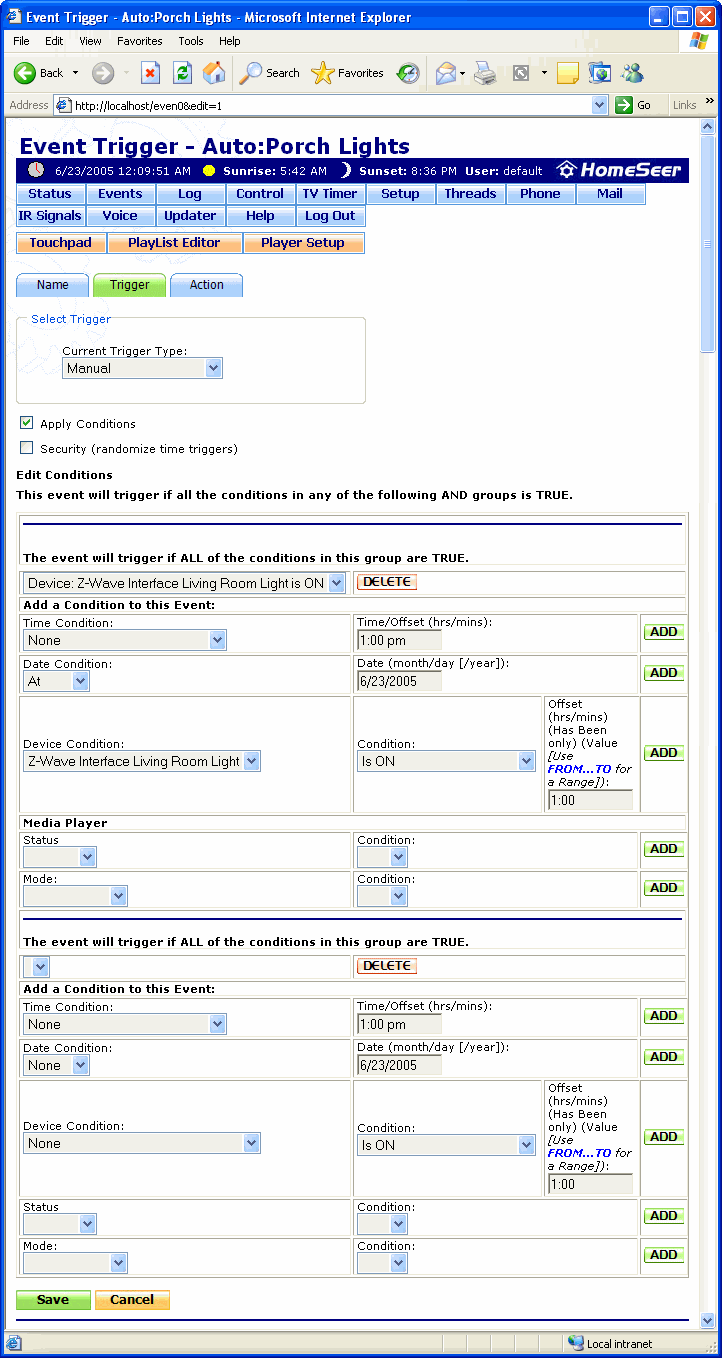
The conditions fields appear in a Trigger screen when the Apply Conditions field is enabled (checkmark visible).
Trigger conditions can be required or optional. Required conditions are separated by "AND" in the Events screen and optional conditions are separated by "OR". There can be multiple required or optional conditions for each event. The required conditions are set in the first grouping of fields in the screen below and the optional conditions are set in the second grouping of fields.
Click here for more information on how event conditions work.
Click on the graphic below for more information on this screen.